Broad match
running shoesThe widest reach. Your ad can show for related searches, synonyms and variations. Best paired with strong conversion tracking and a solid negative keyword list.

Free tool
Paste your keywords and get broad, phrase and exact match versions in one click, ready to paste into Google Ads or Google Ads Editor.
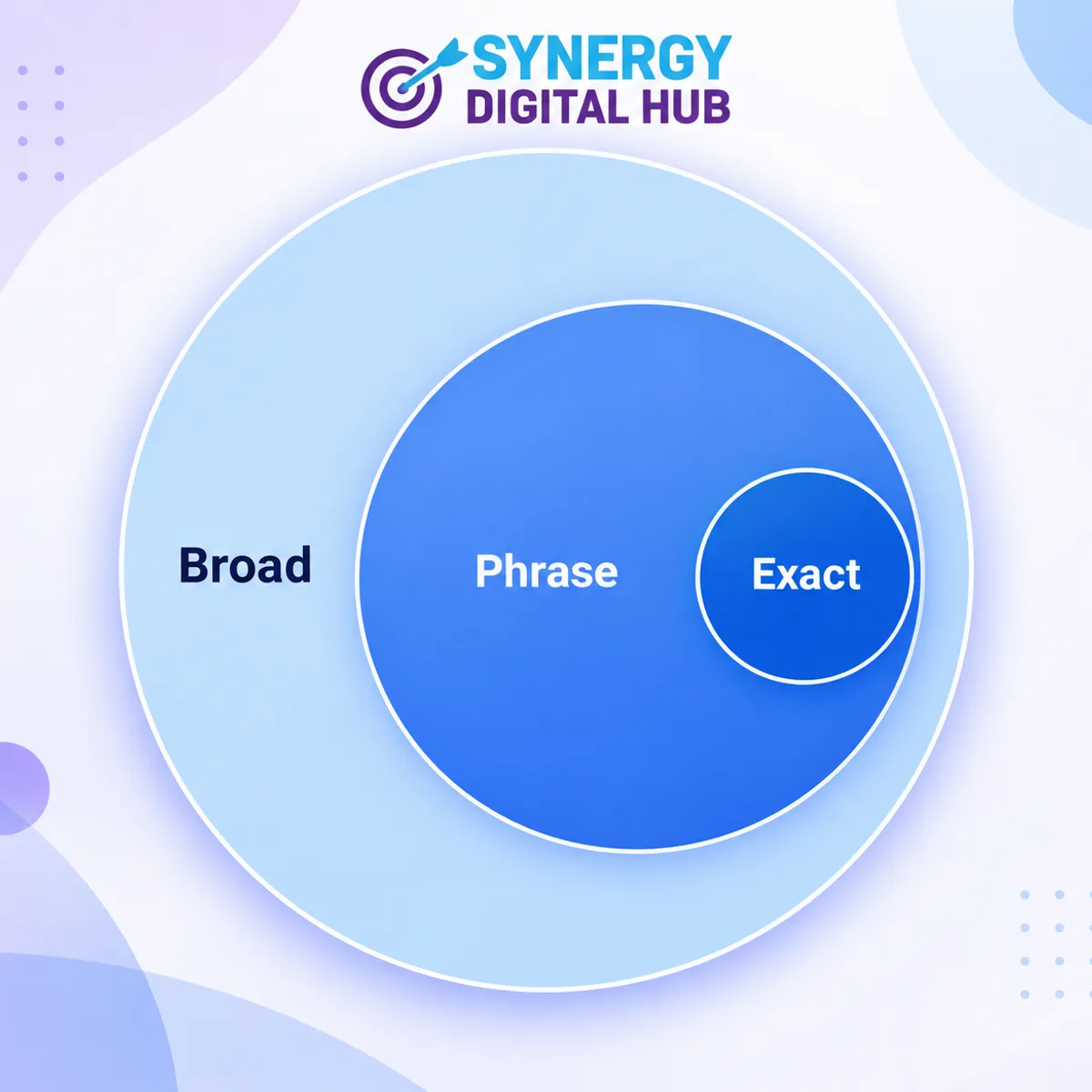
running shoesThe widest reach. Your ad can show for related searches, synonyms and variations. Best paired with strong conversion tracking and a solid negative keyword list.
"running shoes"Your ad can show when the search includes the meaning of your phrase, with extra words before or after. A balanced choice for most local service campaigns.
[running shoes]The tightest control. Your ad shows for searches with the same meaning as the keyword. Ideal for your highest-intent, best-converting terms.
Want the full explanation? Read my guide to Google Ads keyword match types. Match types are only one part of a profitable account. My Google Ads management service covers keyword research, conversion tracking and negative keyword strategy, and my PPC management work extends the same discipline across every paid channel. Running ads for a local business? See SEO Melbourne to pair paid and organic visibility.
Match types control how closely a search must relate to your keyword before your ad can show. Broad match gives the most reach, phrase match requires the meaning of your phrase to be present, and exact match is the tightest, targeting searches with the same meaning as your keyword.
Broad match (keyword) can show for related searches and variations. Phrase match ("keyword") shows when the search includes the meaning of your phrase. Exact match ([keyword]) shows for searches with the same meaning or intent as your keyword.
Paste one keyword per line, choose the match types you want, then copy each column or download a CSV. Paste the result into Google Ads Editor or the keyword upload screen.
Google retired broad match modifier (+keyword) in 2021 and folded its behaviour into phrase match. This tool removes any leading + signs and does not output modifiers.
Exact and phrase match give the most control over spend and suit most lead generation accounts. Broad match works best with strong conversion tracking and smart bidding, and with a solid negative keyword list. I usually start tight and widen based on search term data.
Indirectly. Looser match types can bring more irrelevant clicks if left unchecked, which raises cost per lead. Reviewing the search terms report and adding negative keywords keeps spend focused on searches that convert.
Book a free strategy call and find out where your keywords are wasting spend.